🔧 Understanding Ansible Roles and Ansible Galaxy (with Practical Example)
Raees Qazi | DevOps Engineer | Learner | Mentor | Creator | Briller Technologies
🧠 Introduction
Today, I’m going to talk about Ansible Roles, Ansible Galaxy, and we’ll also do a hands-on project to make things clearer.
Let’s start with the basics.
🚀 What is Ansible?
Ansible is an open-source automation tool that helps you automate IT tasks such as:
- Configuration management
- Application deployment
- Infrastructure provisioning
Ansible uses YAML files called Playbooks. These playbooks define what tasks you want to perform on remote machines (like installing packages, updating services, etc.).
🧩 What are Ansible Roles?
When you start with Ansible, you usually write everything inside a single playbook. But as your project grows, this becomes difficult to manage.
That’s where Ansible Roles come in.
A Role is basically a structured way to organize your Ansible code — separating your tasks, variables, templates, and files neatly into folders.
Roles help you:
- Reuse your code across multiple projects
- Keep your playbooks clean and modular
- Work in teams more efficiently
🏗️ Structure of an Ansible Role
When you create a role, it has a default structure like this:
Folder Purpose
defaults/Default variables (can be overridden)
files/Static files used in tasks
handlers/Handlers triggered by certain tasks
meta/Metadata like author info, dependencies, etc.
tasks/Main list of tasks to execute
templates/Jinja2 templates for configuration files
tests/For testing your role
vars/Role-specific variables
This structure keeps your automation project organized and easy to scale.
🌐 What is Ansible Galaxy?
Ansible Galaxy is a hub for sharing and downloading Ansible roles.
Think of it like GitHub, but for Ansible automation content.
You can:
- Find roles created by others
- Publish your own roles
- Save time by reusing ready-made content
✅ Good news: Ansible Galaxy comes preinstalled with Ansible — no need to install it separately.
🧰 Creating a Role
Let’s create a role to install NGINX and deploy a simple website.
Before starting, make sure:
- You have an Ansible master/control node
- It’s connected to at least one managed node (server)
Now, follow these steps 👇
Step 1: Create the Role
ansible-galaxy init nginx
cd nginx
ls
You’ll see a pre-created directory structure for the role.
Step 2: Add Tasks to Install NGINX
Edit the main task file:
vim tasks/main.ymlAdd the following tasks:
- name: Update apt cache
  apt:
    update_cache: yes
- name: Install latest version of NGINX
apt:
name: nginx
state: latest
- name: Ensure NGINX is running and enabled at boot
  service:
    name: nginx
    state: started
    enabled: yes
- name: Deploy website page
  copy:
    src: index.html
    dest: /var/www/html/index.html
Save and exit (:wq).
Step 3: Add Metadata
vim meta/main.ymlAdd:
author: RaeesSave and exit.
Step 4: Create the Website File
cd files
vim index.html
Now paste your HTML code here.
If you don’t want to write it yourself, you can use this ChatGPT prompt:
Prompt:
“Act as an expert in HTML and create an index.html with a modern design and beautiful colors that displays the text ‘Briller Technologies’.”
Once generated, paste the HTML into index.html and save.
Step 5: Move Role to Ansible Roles Directory
sudo mv nginx /etc/ansible/roles/Now the nginx folder officially becomes a role.
Step 6: Create a Playbook to Use the Role
Go to your playbooks folder:
cd playbooks
vim install_nginx_via_role.yml
Add:
- name: Install NGINX via NGINX Role
  hosts: server
  become: yes
  roles:
    - nginx
Save and exit.
Step 7: Run the Playbook
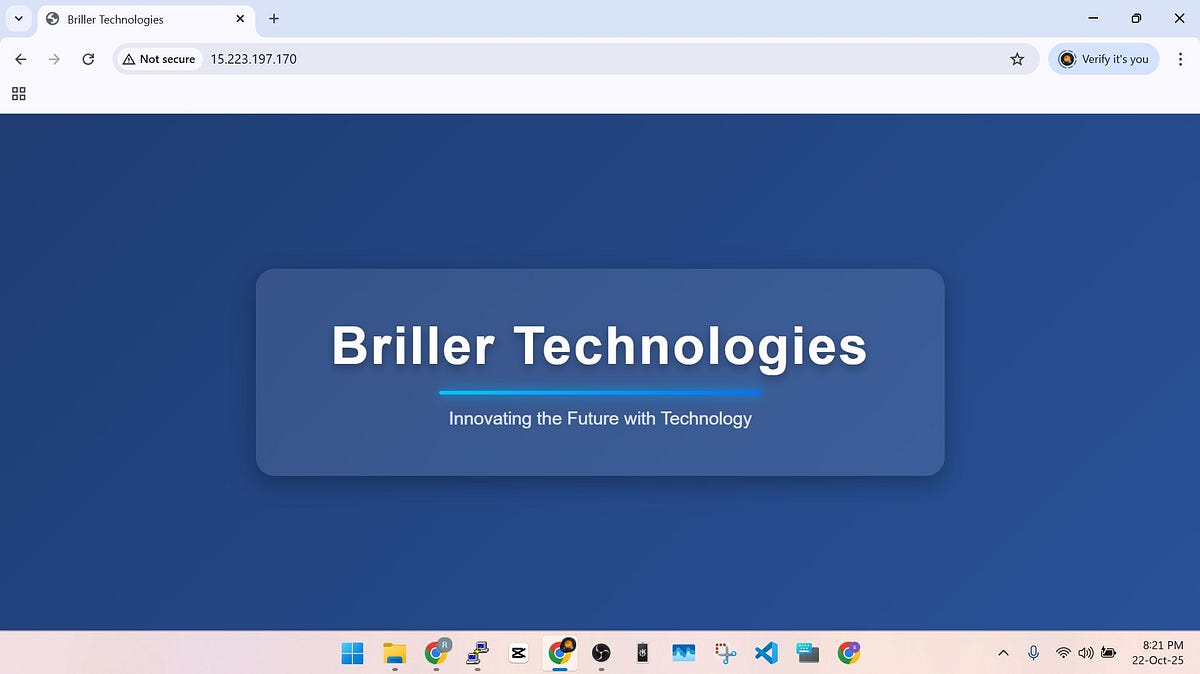
ansible-playbook install_nginx_via_role.ymlOnce it completes, copy the public IP address of your target server and open it in your browser.
🎉 You’ll see your website — “Briller Technologies” — live!
✅ Conclusion
So in this blog, we covered:
- What Ansible and Ansible Roles are
- How Ansible Galaxy works
- How to create and use a custom role to deploy NGINX and host a webpage
If you found this helpful, please like, share, and subscribe for more DevOps tutorials.
Stay tuned for more hands-on automation guides!
🌐 Online References
- LinkedIn:
https://www.linkedin.com/in/raees-yaqoob-qazi-ryqs/
- Medium Blog:
https://medium.com/@raeesyaqubqazi
- Blogspot:
https://brillertechnologies.blogspot.com/
- Facebook Page:
https://web.facebook.com/profile.php?id=61553548371216
- YouTube Channel:
https://www.youtube.com/@RaeesQ.
- TikTok:
https://www.tiktok.com/@mrryqs?_t=ZS-8y7t0fQfJKu&_r=1


Comments
Post a Comment